All features
QR codes and tables
Every spot its own QR.
Table, bar, hotel room or pickup counter: every QR knows where it hangs and what it should do. You set it per code, per zone or all at once.

Edit QRTerrace · T12
Active- Area
- Terrace
- Table number
- 12
When scanned
K
De KadeTerrace · table 12
FoodDrinksSweet
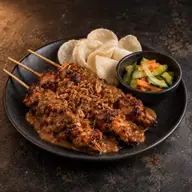 Chicken SatayWith peanut sauce€16.50
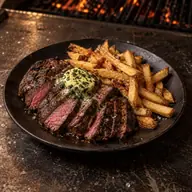 Flat Iron Steak FritesWith herb butter€24.00
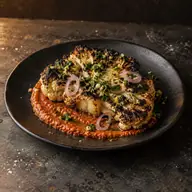 Coal-Roasted CauliflowerWith romesco€13.50
Ordering at table 12
More than a sticker on the table.
A QR in your own style
Choose the shape of the modules and corners, your colours and your logo in the centre. Create tables in one go and link a new sticker by scanning it with the tablet.

Common questions
Can every table have its own QR?
Yes. QRs can be linked to tables and areas so orders arrive at the right place.
Can it carry my own logo?
Yes. You choose shape, colour and a centre logo, within scannability limits.
Can I check it before printing?
Yes. You can review the design and print setup before a file goes to production.